
Client-side data fetching paradigms in React Server Components
/ 5 min read
Table of Contents
I’ve been catching up with React and Next.js lately. In the last few years, I was working with v16 and v17. The latest iteration v19 is… quite evolutionary to put mildly.
With the introduction of cool stuff like Server Components (RSC) and Server Functions, it’s a significant shift in the mental model for building hybrid web apps that include both server-side and client-side rendered markup.
RSCs make SSR (server side rendering) seamless and joyful. But doing so without help is a pain. That’s where meta frameworks like Next.js come in handy. Let’s look at the two data-fetching paradigms I’ve come to use in Next 15:
Paradigm 1: Server functions (aka server actions)
This method is closer to the “fetch” method used traditionally in pure-client single page apps (SPAs): you have a server-side API endpoint that supplies data which you call in your client code using browser’s built-in fetch method. Well, server functions allow to call server-side functions directly in client code. How that works is a little intricated but with Next 15 it works like magic!
React introduced an internal server-client communication technique called flight protocol so client components can invoke server functions just like local functions, and receive data & components (in a binary format) similarly to an explicit network call.
This allows “importing” functions in client components that interact with database and IO and other server-side stuff. Black magic 🔮
Here’s an example server function that returns a list of all products on an ecommerce site. Having “action” as part of filename or path is not important.
"use server";
import { productsTable } from "@/db/schema";import { drizzle } from "drizzle-orm/node-postgres";
const db = drizzle(process.env.DATABASE_URL);
export async function getProducts() {  const products = await db.select().from(productsTable);  return products;}
A client component can simply import the server function and extract its response in a state variable:
"use client";
import { getProducts } from "@/app/actions/products";import { useEffect, useState } from "react";import Link from "next/link";
export default function ProductList() {  const [allProducts, setAllProducts] = useState([]);
  useEffect(() => {    getProducts().then((products) => {      setAllProducts(products);    });  }, []);
  return (    <div>      {allProducts.map((product) => (        <Link          key={product.id}          href={{            pathname: "/product",            query: { id: product.id },          }}          prefetch={false}        >          <div          >            <div>              {product.name}            </div>            <div>              <img src={product.image} alt={product.name} />            </div>            <div>INR {product.price}</div>          </div>        </Link>      ))}    </div>  );}
The above client component needs to be embedded inside a server component. By default, all components in Next 15 are server components unless marked otherwise with use client. Following is the products page’s root component:
import ProductList from "@/app/products/list";
export default function Products() {  return <ProductList />;}
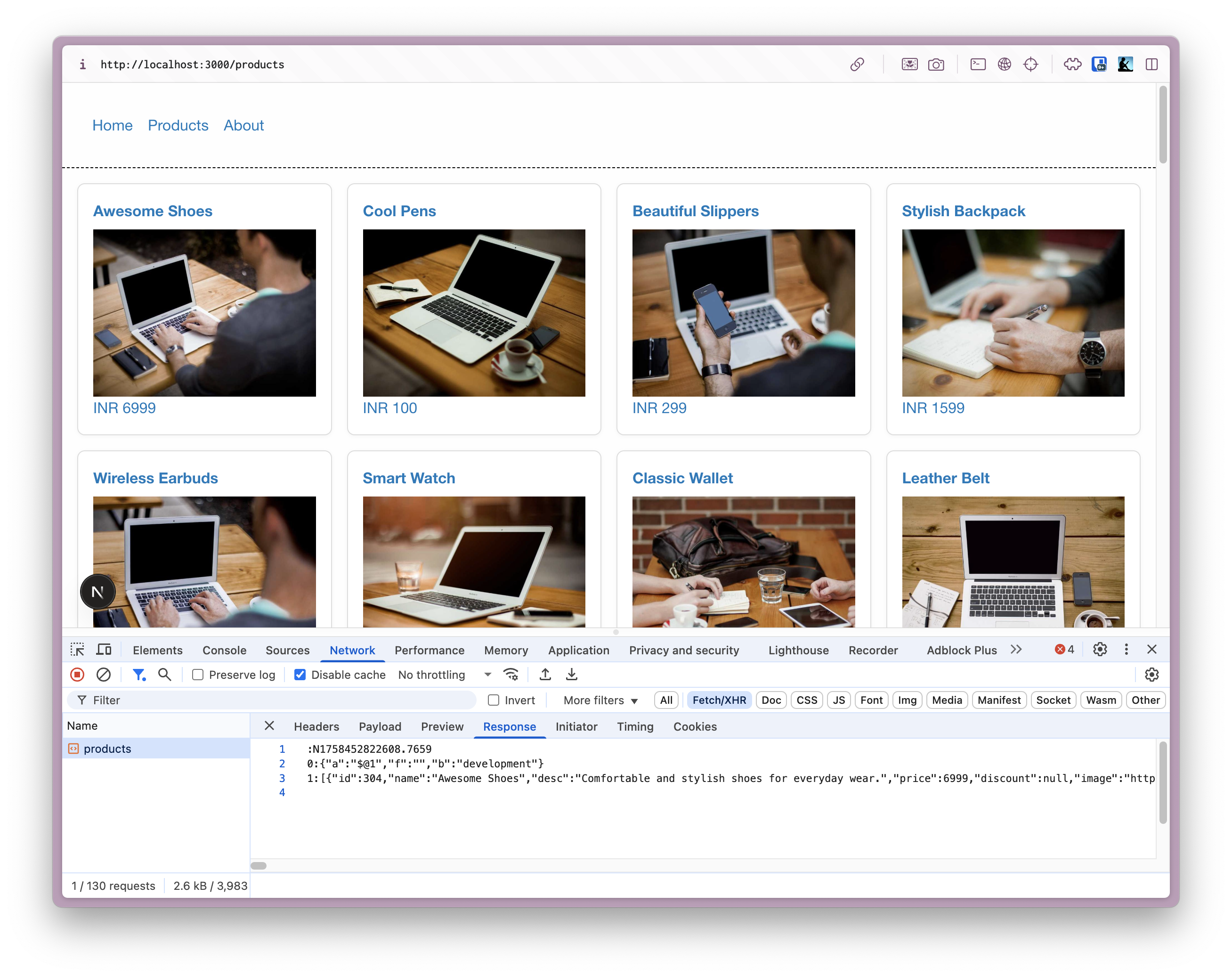
Notice the XHR call resulting from the interaction between client component and server function:
Paradigm 2: Passing props to a suspended client component (aka streaming)
This one feels more native than invoking server functions in client code. We have the exact same component ProductList, only this time we fetch the data purely on server side and pass it along to ProductList from its parent server component. Behind the scenes, the framework (Next) does its bit to render the client component when the data it depends on becomes ready.
import { Suspense } from "react";import ProductList from "@/app/products/list";import { getProducts } from "@/app/actions/products";
export default function Products() {  return (    <Suspense fallback={<Loading />}>      <ProductList products={getProducts()} />    </Suspense>  );}
/** * We could alternatively create a loading.js file in the same directory * to unnecessitate the use of Suspense and still have the same effect. * But black magic 🧙 is not fun! */export function Loading() {  return (    <div>      loading...    </div>  );}
Notice the use of Suspense. Next takes care of creating a “suspendable” component, so we can leverage that to show a fallback loader while data is still loading. Rather than ship the client component with server-rendered markup, Next will stream it when it’s ready.
We must tweak our client component ProductList slightly to handle the promise returned by getProducts. No more useEffect and useState complexity!
"use client";
import { use } from "react";import Link from "next/link";
export default function ProductList({ products }) {  const allProducts = use(products);
  return (    <div>      {allProducts.map((product) => (        <Link          key={product.id}          href={{            pathname: "/product",            query: { id: product.id },          }}          prefetch={false}        >          <div>            <div>              {product.name}            </div>            <div>              <img src={product.image} alt={product.name} />            </div>            <div>INR {product.price}</div>          </div>        </Link>      ))}    </div>  );}
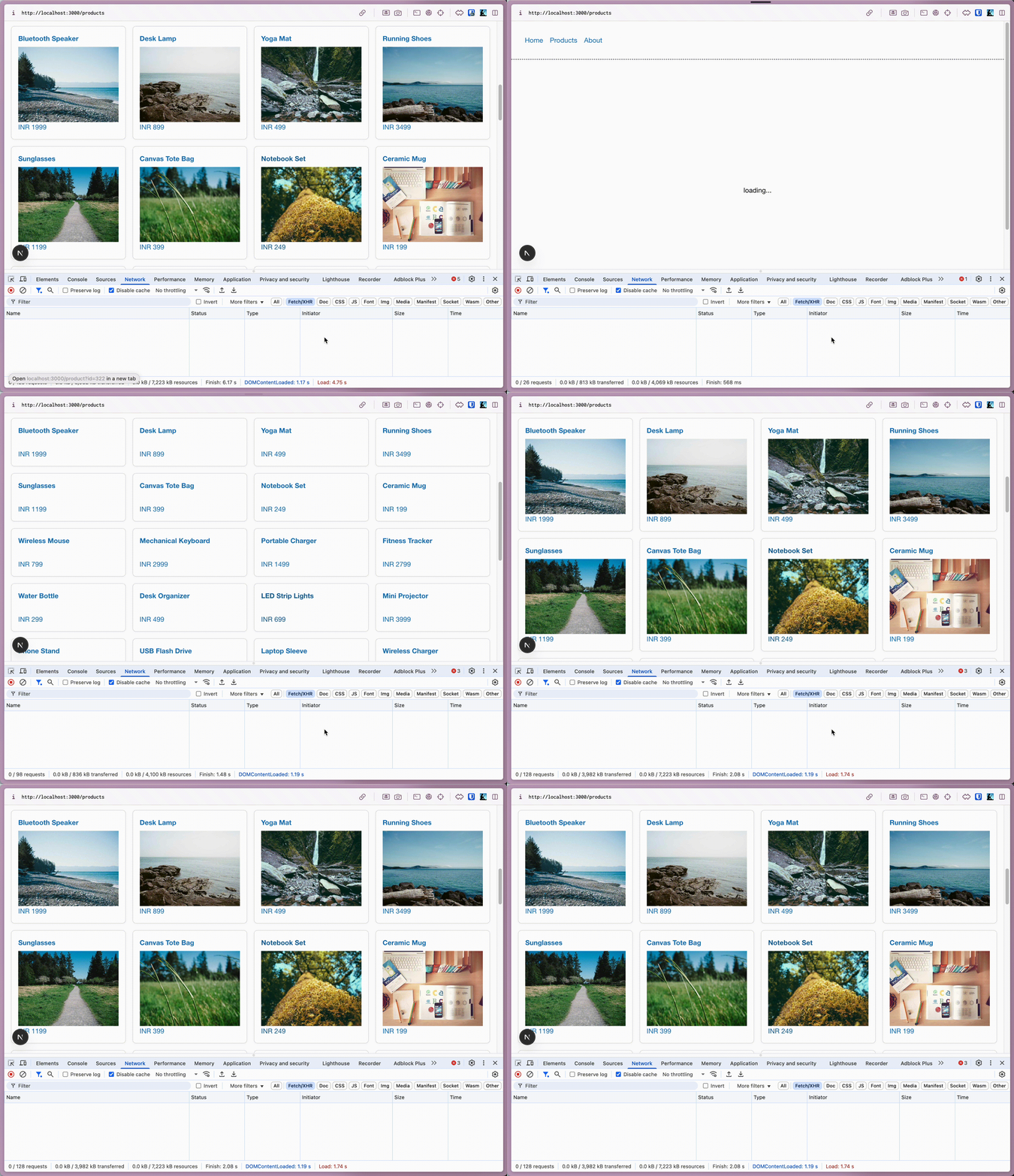
The result is a visibly better data fetching experience: (notice there are no XHR calls this time)
I’m sure there are more ways to fetch data in client components in the new React land. The above two caught me curious enough to share it with y’all.
Cheers ✌️